Timefall Beta
What if a notification could be enjoyable?
There is a new app I have been working on that I’m really excited about. Something different than anything I’ve done at this point. I want to make an app that is laser focused on a simple concept and tries to execute it well. To make an app that will bring people joy and surprise them.
My new app is called Timefall. Whats that? Timefall is a journal app I had an idea for one day. Journaling apps are readily available on the app store and even the kind Timefall is has a few out there. But I think that what I have created is unique and could be helpful to people. In a world dominated by short form videos, doomscrolling, and more I wanted to create something that is the opposite of those. Something that is there when you need it and hopefully gives you a good feeling.
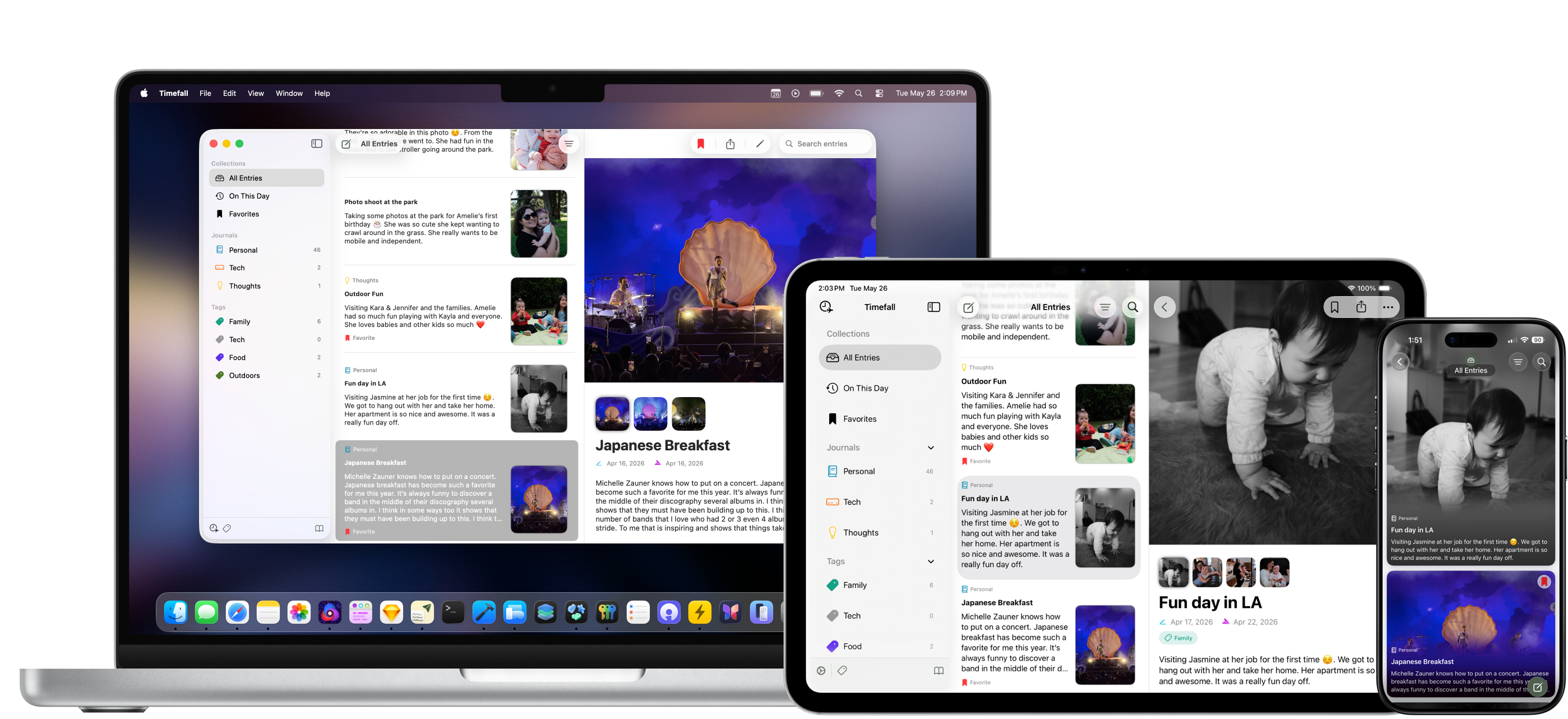
Timefall is a journaling app that is focused on you writing to your future self. Each entry you write is given a random delivery window. Until the entry is delivered you can’t see or read that entry again. On the due date you get a notification from the app letting you know you have a new entry to read.
Composing an entry
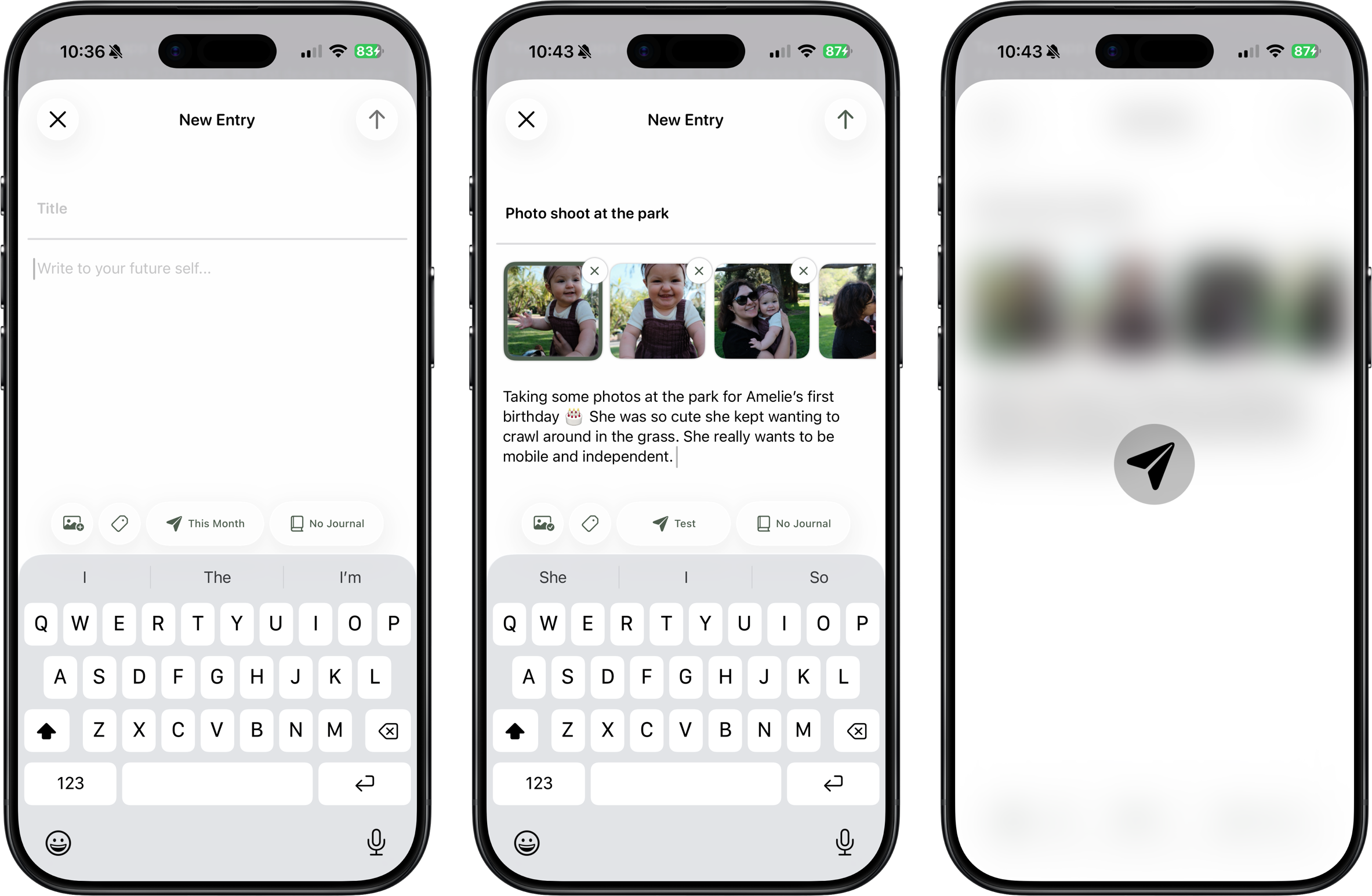
When composing an entry there are 3 core components: Title, message, and delivery options. Each entry should have at least these three components. When I was creating the app I wanted an app that will surprise you at a random time with a heartwarming message from your past self. Ideally enough time has passed from when you write the entry to when its delivered that you forgot what you wrote. But even if you have a vague idea I still think it could give you a little bit of joy in your day.
Delivery Options
Delivery options for when an entry arrives is a rough timeframe by design. I didn’t want the app to let you plug in the exact time something comes in. That would spoil the fun and the idea behind the app. When you first install the app some defaults I made are already there. For example you can send yourself an entry Tomorrow, Next Week, This Week, and This Month. The app calculates a random time to deliver you the entry. In the settings screen there is also the option to make your own delivery options.
Another part of the delivery options is the time of day. I wanted to make sure that the app won’t be rude and deliver something to you at 1am. Unless you want that… So I give users a delivery window to set with a start time and end time. The default is 8:00am - 7:00pm. If thats too early or late you can change that in settings or in the onboarding. So when this is set the app will pick a random time within your delivery window for when the entry will be ready to view. It’s designed to send you a notification but if you don’t like those its not an issue. You’ll have to go and check the app yourself to see if a new entry pops up though.
Other components for composing an entry are Journals, Tags, and Photos. You don’t need to organize entries into different journals or tags but I do give you the option. By default the app opens in the all entries section. Each entry can belong to one journal at a time or multiple tags. When attaching photos you can add up to 4 photos. When you assign more than one photo you must pick one to be the main hero image of the entry. After an entry is delivered and marked as read you can view it as many times as you like and edit it as well.
Thats pretty much it for composing entries at this point. This is leading up to a 1.0 and I want the app to be laser focused on its core concepts. I will probably expand what you can add into an entry in the future but right now I want to keep it simple.
Delivery View
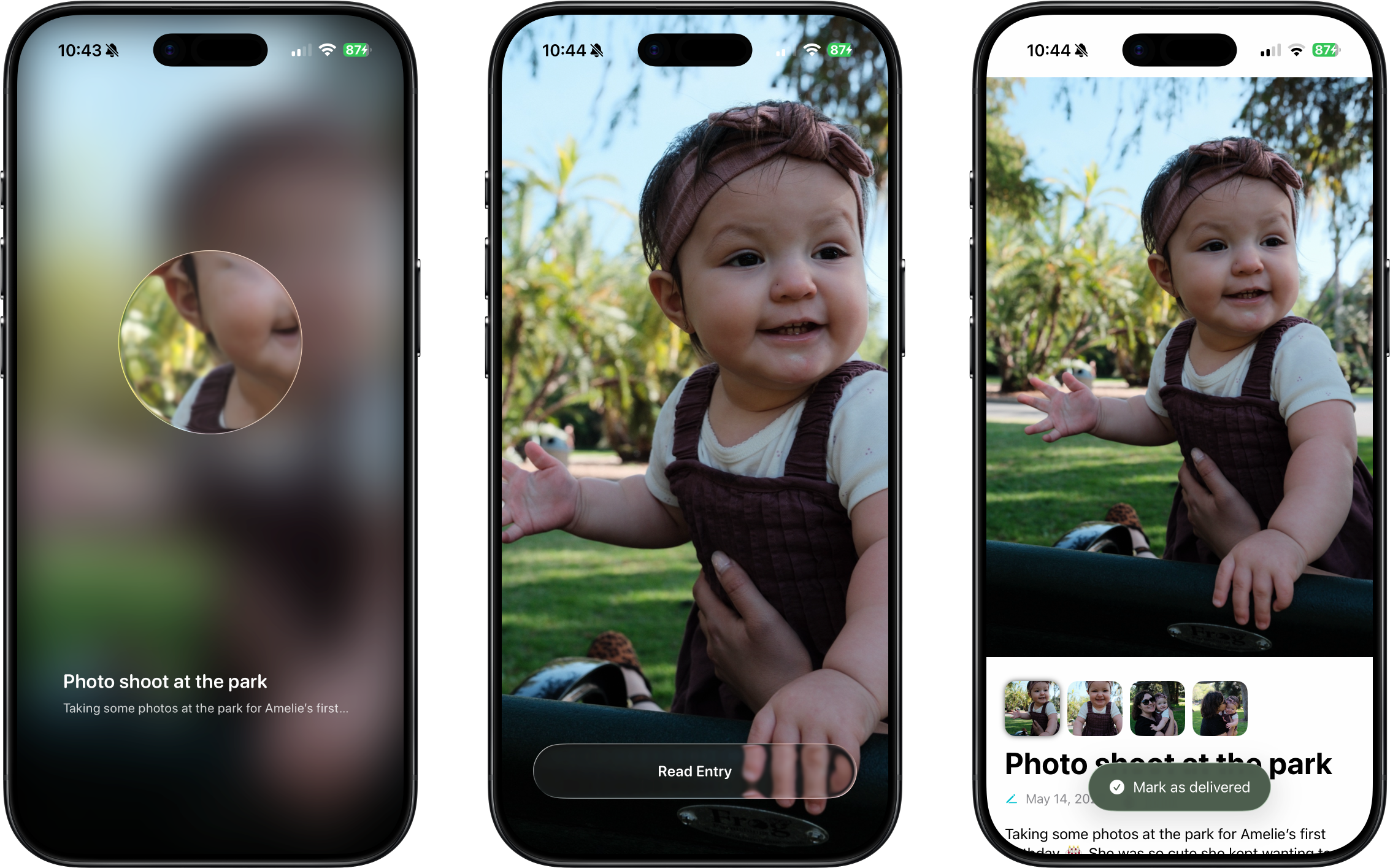
When you get an entry it should be a surprise and be special. Tapping on the notification or the entry in the app if its grayed out leads you to the delivery view. If you have a photo you get a nice blurred overlay with a circle that comes up slightly revealing the hero image. You also get to see the title of the entry and the first line of the message. To read the entry you drag the circle around the screen and slowly reveal the image underneath. Once its fully revealed you will have a bottom button that lets you read the entry. After reading the entry you mark it as read and can view it as many times as you want in the app or edit it later.
Having used the app myself for a while now I really hope these delivery views give you a little surprise and joy in your day. I also included an option in the settings screen that lets you change how you see an entry in the delivery view. If you don’t want to use the circle to reveal the image or text you don’t have to. There is an option that has the delivery view give you a bottom button to press and read the entry. This gets rid of the circle and the dragging mechanics to reveal an entry.
Sharing
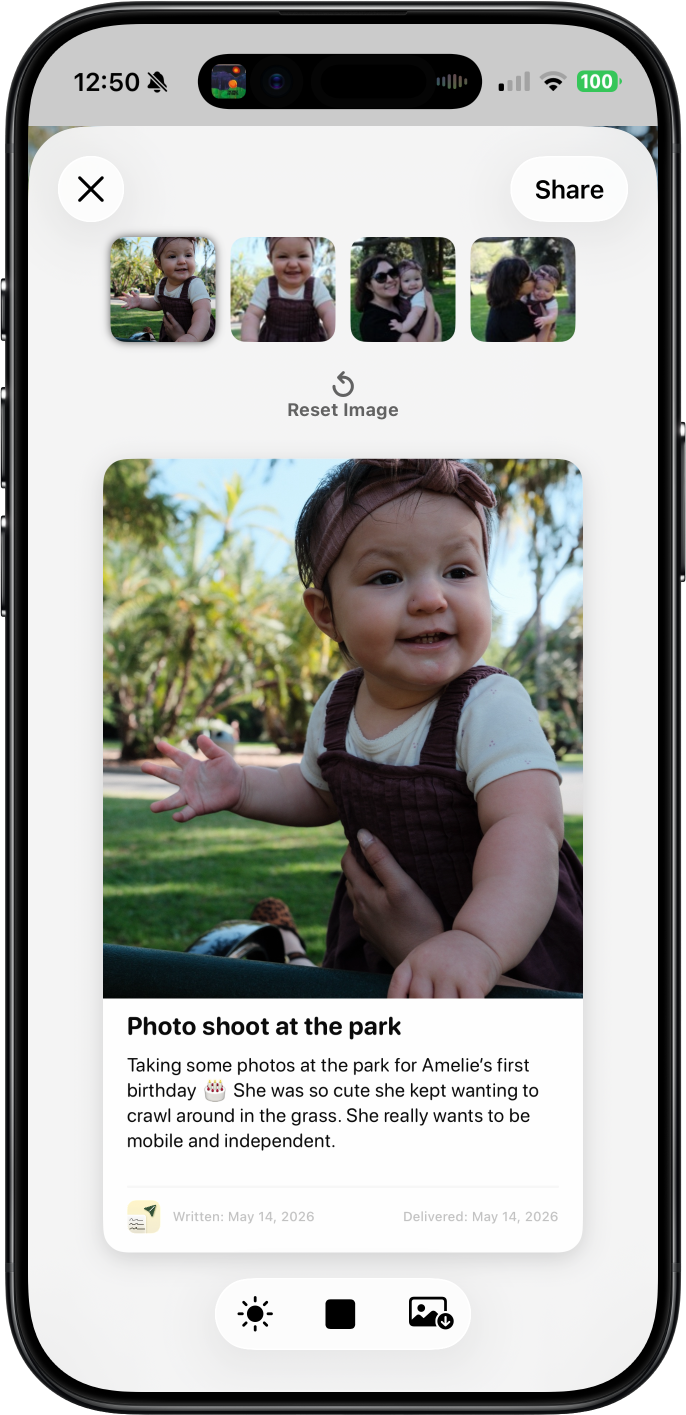
One last main feature the app will have is sharing entries. If you enjoy an entry and wish to share it you can make a card like view to share. You can choose which photo appears if there is multiple photos and you can even do a grid option for photos. At the bottom it will show the app icon and the day you wrote the entry and the day it was delivered to you. You can share it with the share sheet or save it as a photo for later.
TestFlight
If you’re interested in Timefall and want to check it out join the TestFlight. I’d love to have you try it and give your feedback and thoughts. Currently I plan to release this in the summer time. I know WWDC is around the corner and that might change certain things. But I want to ship it before September, I don’t want to pack much more big features into the 1.0. I still have a ton of work to do for the app and to make it more polished. But I think even though its early its important to get user feedback. There will be an option to send feedback via email in the settings screen. If you do have any feedback or bugs please email feedback@timefalljournal.com.
Timefall is a universal app so it will be on iPhone, iPad and Mac. It will sync your entries and preferences with iCloud. I plan for this app to be subscription based when it releases. I know subscriptions is a non starter for some users but I want to be upfront about my goals for the app.